

NAS Data Recovery
How is NAS Data Recovery Performed?
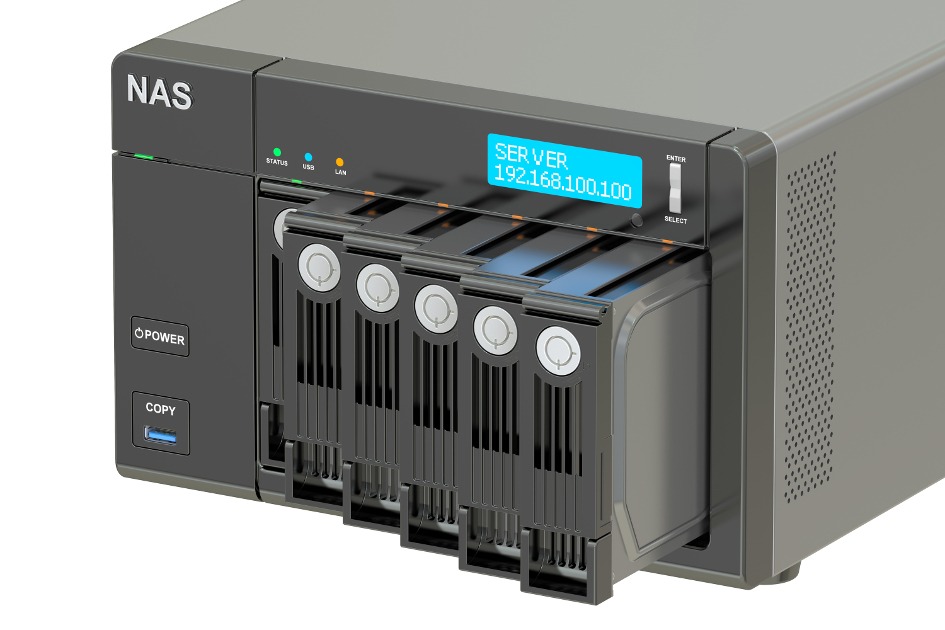
NAS Data Recovery, network-attached storage, known in English as Network Attached Storage, or NAS for short, is a file-based system that enables data storage. However, as with all storage devices, it is possible to experience data loss in NAS systems as well. There can be many reasons for data loss. In this article, we will address the causes of data loss, wrong interventions, and the precautions you can take to minimize the risk of data loss.
Causes of NAS Data Loss
Human error: Human error is a common cause of data loss. Data loss usually occurs as a result of reformatting, reloading, or authorization errors.
Electrical problems: Power outages, voltage fluctuations, or overvoltage in NAS network storage can cause software or hardware problems. Voltage fluctuations can prevent disks that cannot be synchronized from reintegrating with RAID, leaving your device vulnerable. In power outages, the sudden cutting of power to the NAS without a UPS threshold level can cause data loss and data corruption.
Ambient temperature: The environment where the system is located being too hot or too cold can cause drive failure. Acceptable temperature values may vary depending on the brand and model of the hard disk.
Faulty NAS controllers: As a result of faulty reorganization or recreation, faulty controllers can cause data loss. If memory configuration is being overwritten, firmware or operating system errors may occur.
Mechanical failures: RAID systems have a design that will minimize hard drive failures. In case of a drive failure, the remaining drives should compensate for the error, which can lead to failure on all disks.
Natural disasters: Natural disasters such as fire and flood can cause your NAS system to crash. In this case, special knowledge is required to thoroughly clean and decontaminate the hard drives and NAS device to rebuild the system. A logical reconstruction to be performed after cleaning can restore the data. Professional data recovery service providers like Tekniknokta have the technical expertise to thoroughly clean very dirty environments and successfully restore data.
The examples above show that there are many reasons why data loss can occur even in NAS systems.
You can increase data security by applying our recommendations below.
Minimizing Data Loss Risk

Check access permissions: If the number of people using the network is high, it should be clearly stated who can access which data. Accidental deletion of data occurs as a result of a user not knowing that another person needs this data.
Create automatic backups: NAS systems offer many advantages, but they do not offer 100% data security. Therefore, it is recommended that all important data be backed up periodically. The backup process is safer if done in a different environment. Data must be encrypted when stored in an external location.
Correct installation: NAS systems are usually installed with RAID configuration. This provides the additional security that companies need. However, RAID-0 does not provide data security! RAID-0 provides faster data access but does not increase data security. RAID-5 is the best choice, but making an external backup is still the safest way.
Being cautious is good, checking is better: Backups should always be tested functionally. A backup that is missing or that you cannot access will not help you. At the same time, expanded NAS solutions should also be tested by experienced personnel before final installation. Incorrect installation can lead to failure and thus data loss.
Correct documentation: Every administrator should document the NAS system used. Important and often forgotten details are BIOS version, controller version, and file systems used. Accurate documentation facilitates data recovery when needed and also plays an important role in compliance.
Correct investment: When purchasing system hard disks, you should pay attention to quality. The most suitable drives are those approved for 7/24 continuous operation, fast access times, and large cache. It is best to purchase hard disks from different production groups. With such an approach, you can reduce encountering production-related errors or failures. In a chain reaction, there is always a risk of hard drives failing in a short time.
Standard or customized? It is recommended to use standardized drives with Microsoft file systems or Linux ext3 or XFS. Alternatively, proprietary formats with little or mostly undocumented file systems can make data recovery in emergencies take more time and become costly.
Be prepared and calm: In case of an emergency, contact should be made with a data recovery service provider. This ensures that necessary recovery measures are initiated quickly. And it protects you from possible mistakes you might make in the initial panic situation. You should not try to recover data on your own. This situation can cause data to become unrecoverable even for professional data recovery experts.
Remember that you can consult Tekniknokta experts in all situations...