

Most Common Hard Disk Error Codes
If you have experienced a problem with your hard disk or external disk on your computer containing valuable information, we can all imagine how frustrating...
Understanding the type of failure that occurs in the hard disk helps you get to the root of the problem more easily, and also prevents you from making the work more difficult when there is a possibility of successful data recovery.
Let's take a look at the summary of the most common hard disk error codes and how they can be fixed to find out what caused your hard disk to fail.
Disk Full
This error code indicates that there is no free space left on the hard disk because all of it has been used.
To fix this problem, you will need to free up some space on the disk. You can do this by deleting unnecessary files or applications, emptying the recycle bin, or deleting old or unnecessary log files.
SMART Failure Predicted on Hard Disk 0
This code indicates that S.M.A.R.T (Self-Monitoring, Analysis and Reporting Technology) has detected a problem with your hard disk. This usually means that the disk may fail soon.
If your device is showing this error code, it would be more appropriate to have the hard drive evaluated by a professional. We do not recommend using error checking tools (chkdsk, etc.) as they may cause more damage and make the data unrecoverable.
Disk Boot Failure
Disk Boot Failure means that the system has found an error on the drive assigned as the boot drive. It can occur if the drive is corrupted or damaged, or if the operating system files are damaged.
If your device is showing this error code, it would be more appropriate to have the hard drive evaluated by a professional. We do not recommend using error checking tools (chkdsk, etc.) as they may cause more damage and make the data unrecoverable.
Cyclic Redundancy Check Error or Drive is Not Accessible Data Error
This error code indicates that there is a read error on the drive. It can occur when the hard drive is corrupted or damaged, or when the operating system files are damaged. This type of error can also be caused by incorrectly configured files, failed program installation, or file corruption.
If your device is showing this error code, it would be more appropriate to have the hard drive evaluated by a professional. We do not recommend using error checking tools (chkdsk, etc.) as they may cause more damage and make the data unrecoverable.
I/O Device Error
An I/O Device Error indicates that there is a read error on the drive. This type of error can occur when the drive is corrupted or damaged, or when the operating system files are damaged.
If your device is showing this error code, it would be more appropriate to have the hard drive evaluated by a professional. We do not recommend using error checking tools (chkdsk, etc.) as they may cause more damage and make the data unrecoverable.
Disk Read Error
This error code indicates that there is a read error on the drive, which usually occurs when the hard drive is corrupted or damaged, or when the operating system files are damaged.
If your device is showing this error code, it would be more appropriate to have the hard drive evaluated by a professional. We do not recommend using error checking tools (chkdsk, etc.) as they may cause more damage and make the data unrecoverable.
Windows Error Codes
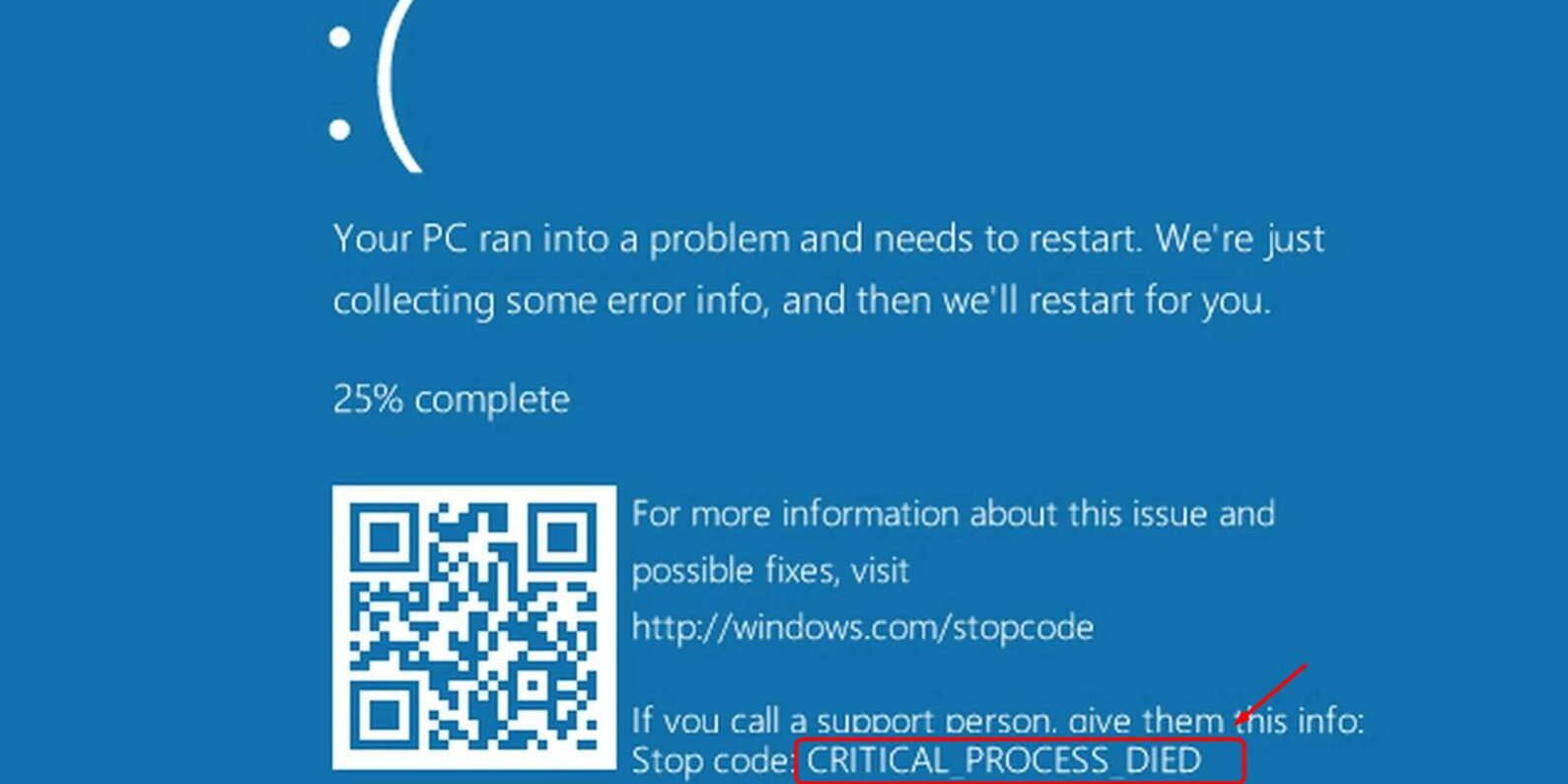
If Windows encounters certain problems, it stops working and diagnostic information is displayed as white text on a blue screen, these are commonly known as blue screen errors.
These error codes typically start with "STOP 0x", followed by various letter and number codes that reveal the cause of the error.
Windows error codes can occur if the hard drive is corrupted or damaged, or if the operating system files are damaged.
If you encounter a Windows error code, try restarting the system. If this doesn't solve the problem, search for the relevant error code to determine the source of the problem. If the error code indicates a hardware problem, stop using the drive immediately and have it evaluated by a professional.
The Parameter is Incorrect
This error is commonly encountered on external drives, usually caused by a power problem, a faulty USB connection port or cable, or incorrect connection of the drive. The problem can sometimes be solved by plugging the drive into a different system. If this doesn't solve the problem, have the drive evaluated by a professional.
The Request Failed Due to a Fatal Device Hardware Error
This error code indicates that the hard disk is no longer accessible. It can occur if the drive is corrupted or damaged, or if the operating system files are damaged.
This type of error can sometimes be resolved by restarting the system. If this doesn't work, the drive will need to be evaluated by a professional. We do not recommend using error checking tools (chkdsk, etc.) as they may cause more damage and make the data unrecoverable.
If you are experiencing a problem with your hard drive containing very valuable information, we can help you.
Tekniknokta data recovery experts are equipped to provide professional data recovery services from any brand, model, brand or operating system.
You can immediately apply online for our free analysis service and have your disk delivered to our laboratory.