How to Detect Physical Damage in Drives?
The most reliable way to tell whether a drive has physical damage is not to open it, but to listen to it and watch how it behaves. Physical damage shows itself in many ways — clicking, grinding, unusual spin-up noise. This article covers the symptoms of physical damage, how to tell it apart from a logical fault, and what to do in each case.
Audible signs of physical damage
A healthy hard drive produces only a faint spin hum. The following sounds indicate a mechanical problem and mean the device should be powered off immediately:
- Regular clicking ("click of death"): the read head cannot find the data and keeps returning to its park position. This usually means head assembly damage or service-area corruption.
- Grinding, scraping or a metallic rasp: the worst case — it indicates the head is touching the platter surface. Every second means permanent data loss.
- Loud whining, or a motor that tries to spin and stops: seized spindle bearing (stiction) or motor failure. If the drive does not spin at all the data is still on the platters, but the drive has to be opened.
- No sound at all: on a drive that takes no power the fault is usually on the circuit board. If there is a burnt smell, the TVS diode or another component on the board may have blown.
SSDs and NVMe drives have no moving parts and therefore make no sound; on these devices physical damage is silent and can only be inferred from behaviour.
Physical or logical? How to tell
The distinction matters because the correct first response differs. A rough guide:
- Signs of physical damage: abnormal noise; not detected by the BIOS at all; appearing with the wrong model name or "0 GB" capacity; being detected and then disappearing after a few seconds; excessive heat; the system freezing during a copy.
- Signs of a logical fault: the drive looks fine and sounds normal, but the partition shows as RAW, Windows asks whether you want to format it, folders appear empty, or file names are garbled.
When you are not sure, it is always safer to assume physical damage and power the device down. Treating a logical fault as physical costs nothing; the reverse can destroy the chance of recovery.
What to do in each situation
After a drop or impact
In a drive dropped while running, the head may have contacted the platter. Do not power it on again; checking "whether it still works" widens the existing scratch.
Liquid contact, flooding, flood damage
Never try to dry the media by applying heat or by leaving it at room temperature. Oxidation increases every passing minute and causes irreversible problems. The correct approach is to put the media, still damp, into a sealed bag and bring it to the laboratory. If it has been exposed to sea water or sewage, the first 48 hours are critical.
Fire and heat damage
Do not expose a fire-damaged drive to humid environments such as coolers. Do not try to clean off soot or smoke residue; that is removed under controlled conditions in the laboratory. Even when the outer casing is deformed, the platters are often intact.
Power surge
If there is a burnt smell or a blackened component on the board, do not apply power again. Repeated power-up attempts can carry damage that was confined to the board through to the head assembly.
What not to do when you suspect physical damage
- Do not shake the damaged drive or server, unscrew it, or try to clean it.
- Do not try to fix it with DIY videos; do not open the disk or work on the circuit board. These operations require years of training, problem-specific software and a clean room environment.
- Do not try to run a device that appears damaged; turn the computer off immediately. Letting the drive keep spinning causes permanent damage.
- Do not try to "repair" the disk with commands such as chkdsk. That command deletes data to make the file system consistent; on a physically damaged drive it can render the existing file structure unusable as well.
- Do not use simple recovery software downloaded from the internet. These tools scan the drive for hours; on a physically failing drive that scan makes the damage worse.
- Do not swap the circuit board from an identical model. On modern drives the ROM chip on the board holds adaptive data unique to that drive; the wrong board will not work and may cause further damage.
What happens in the laboratory
When a physically damaged drive reaches our laboratory the sequence is as follows: first a free analysis determines the type of fault. If mechanical intervention is required, the work is carried out in an ISO 5 (Class 100) clean room — a dust particle in an ordinary room is many times larger than the gap between the platter and the head.
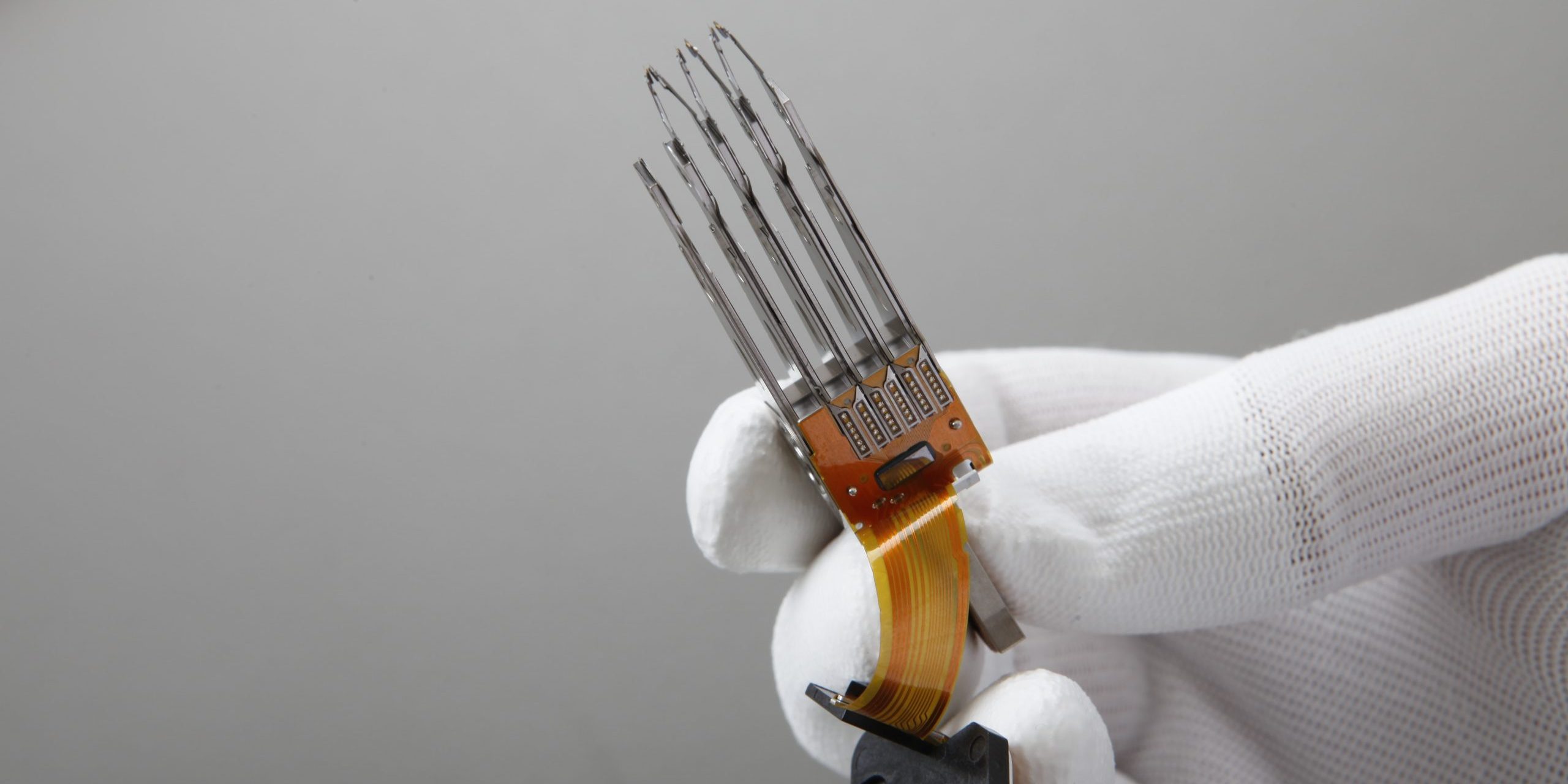
When the head assembly has to be replaced, a donor drive from the same production batch is used. A sector-by-sector image of the drive is then taken with the PC-3000 hardware platform, and all recovery work is performed on that image rather than on the original drive. This way the fragile drive is not run again and again.
After the analysis we tell you what can be recovered, by which method and at what price. Nothing starts without your approval, and if the recovery fails there is no charge.
In short
When physical damage is suspected there is one rule: power the device off and leave it alone. The biggest factor deciding the chance of recovery is not the failure itself but what is attempted after it.
To have your case assessed, write to us or call the laboratory. For more detail see our hard disk data recovery and pricing pages.