When an NVMe SSD Fails: TRIM, Encryption and Recoverability
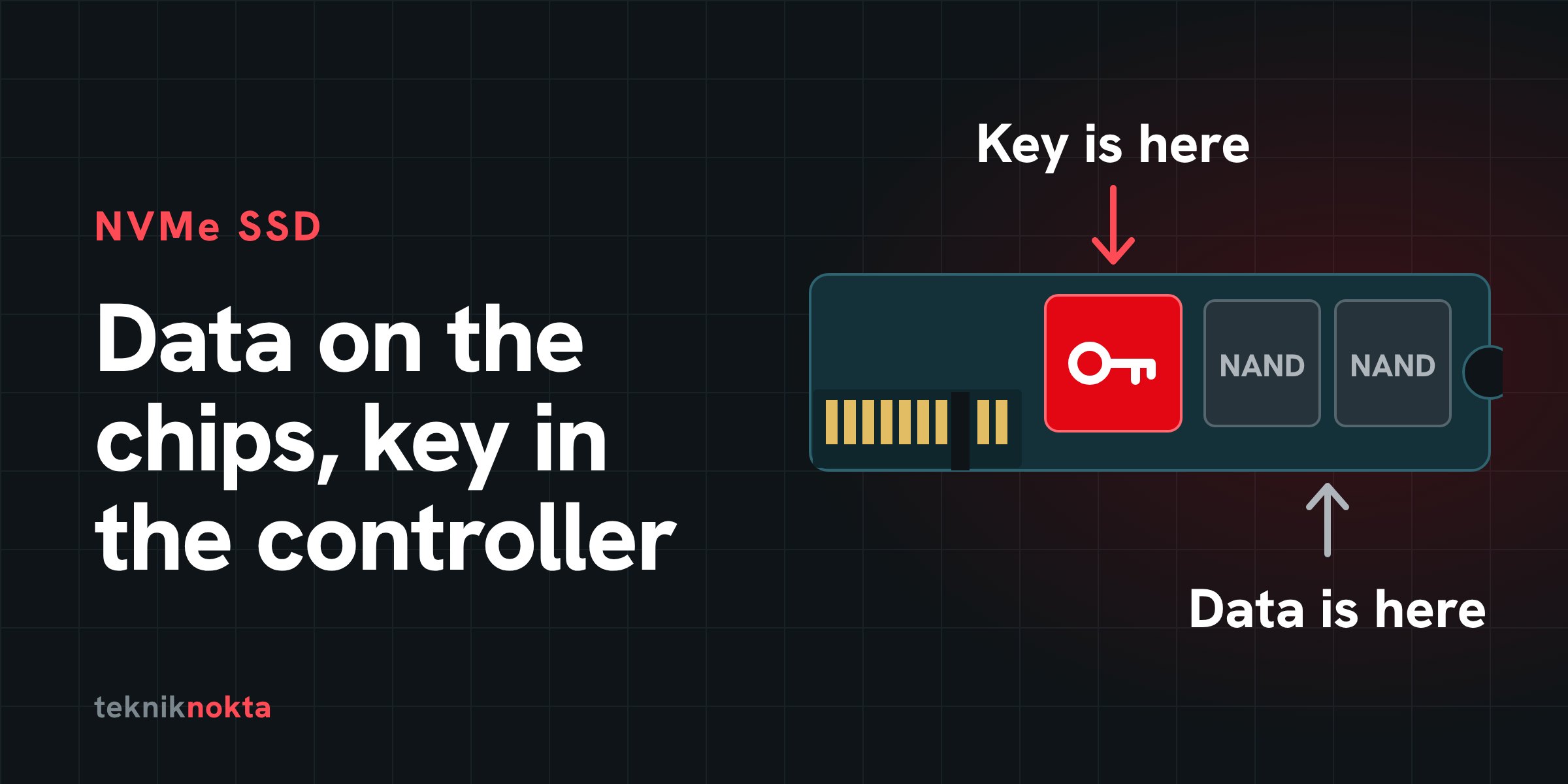
NVMe drives are now the system drive in most laptops, workstations and servers. They are fast and silent, and when they fail they behave very differently from classic hard disks: they vanish without warning, they clean up deleted data themselves, and on many models the data inside is encrypted. This post collects what an IT team needs to know in the first hour after an NVMe drive goes wrong.
Short answer: Deleted or formatted data on an NVMe drive usually does not come back; the reason is TRIM. If the drive is not detected, the data is most likely still there, but it can only be reached through the drive's own controller. In both cases the first thing to do is the same: stop using the drive, do not keep power-cycling it, and find out where the BitLocker recovery key is.
What makes NVMe different?
NVMe is not a type of drive but a protocol: the drive talks directly over PCIe instead of SATA. The form factor is a separate matter. Not every drive in an M.2 slot is NVMe (M.2 SATA drives exist too); in servers the same protocol turns up in U.2, U.3 and E1.S form factors.
What matters for recovery is what is inside. An NVMe drive has three things: the NAND flash chips that hold the data, the controller that manages them, and the address translation table the controller keeps. Only that table knows where on the chips "the block at this address" actually lives; data is not written to the chips in order but spread out to even the wear.
The difference from a hard disk is clearest side by side:
| Topic | Hard disk | NVMe SSD |
|---|---|---|
| Deleted file | Stays in place until overwritten | After TRIMit usually does not come back |
| Quick format | The data largely stays in place | TRIM is sent for the whole partition |
| Signs of failure | Usually noise, slowing down, bad sector warnings | Usually none; the drive is suddenly not detected |
| Where the data is | On the platters, in order | Scattered across the chips; only the translation table knows where |
| Encryption | Mostly only if the user turns it on | On many models always on at controller level |
| Route to recovery | Repairing heads, platters and firmware | Getting the drive's own controller running again |
Four failure types and what they mean
| Symptom | Likely cause | What it means for the data |
|---|---|---|
| Files deleted, drive formatted | User error, wrong drive selected | If TRIM has run, the data usually does not come back |
| Drive not seen in BIOS, or shows 0 GB or the wrong capacity | Firmware or translation table corruption, often after a sudden power loss | The data is usually still on the chips; access depends on repairing the controller |
| Drive draws no power, gets hot, or shuts down the system it is fitted to | Power management circuit failure or a short on the board | If the board is repaired and the original controller runs, the data can be reached |
| Read errors, freezes, steadily slowing down | NAND wear, spare blocks running out | If the drive still reads, image it at once; this usually gets worse |
TRIM: why deleted data usually does not come back
When a file is deleted on a hard disk, only the file system record is marked; the data stays where it is until it is overwritten. On an NVMe drive the operating system also sends the drive a notice during deletion and quick format: "these blocks are no longer in use". In NVMe this is the deallocate attribute of the Dataset Management command; in everyday use it is called TRIM.
Once the drive receives that notice it removes those blocks from its translation table. On many models those addresses read back as zeros from that moment, and the garbage collection running in the background physically erases the data on the chips some time later. That is why classic "undelete" software finds empty sectors on an NVMe drive.
You can see whether TRIM is enabled like this:
# Windows (administrator command prompt): 0 = TRIM enabled
fsutil behavior query DisableDeleteNotify

# Linux: a non-zero DISC-GRAN means the drive supports TRIM
lsblk --discard
systemctl status fstrim.timer
TRIM does not reach the drive at the same moment in every environment:
| Environment | When TRIM is sent | What it means for deleted data |
|---|---|---|
| Windows (NTFS) | With the deletion | Small chance |
| Windows "Optimize Drives" task | On a schedule, for all free space | Closes off what chance was left |
| Linux, default install | Once a week (fstrim.timer) | Data may still be thereuntil the next run |
Linux, discard mount option | With the deletion | Small chance |
| USB enclosure | Only if the enclosure passes the command on | If it does not, the data stays in place |
| Hardware RAID controller | Depends on the controller; some do not pass it on | If it does not, the data stays in place |
Whichever environment you are in, shut the system down the moment an accidental deletion is noticed. Shadow copies, snapshots and backups are separate routes that TRIM does not affect; look there first.
Encryption: the data is there, but where is the key?
| Type of encryption | Where the key is kept | What recovery needs |
|---|---|---|
| The controller's hardware encryption | In the drive's own controller | The original controller working again. Desoldering the chips and reading them directly (chip-off) does not yield meaningful data. |
| BitLocker and device encryption | In the Microsoft account; on corporate devices in the Entra ID or Active Directory record | The recovery key. Without it even a perfect image cannot be read. |
| Apple T2 and Apple silicon | In the security chip on the logic board | The logic board working again, not the drive. |
| Enterprise self-encrypting drives (TCG Opal) | On the drive, protected by the management password | No way back"PSID revert" and similar resets destroy the key. |
Many NVMe controllers encrypt what they write to the chips with their own internal key, even when the user has set no password. On many Windows 11 devices "Device encryption" is also switched on without the user noticing. While the drive is working you can see the BitLocker status and the recovery key with these two commands:
manage-bde -status C:
manage-bde -protectors -get C:
What not to do
| Action | Why it does harm |
|---|---|
| Power-cycling the drive repeatedly | At every start the controller tries to repair its own internal tables; with a damaged table that can make matters worse. |
| Flashing a firmware update onto a failing drive | It writes to the drive's internal structures and can close off the route to the damaged table. |
Clicking "Initialize" in Disk Management, running chkdsk /f | Both write to the drive. |
nvme format, nvme sanitize, secure-erase tools, blkdiscard | These commands exist for deliberate data destruction. |
| Continuing to use the drive after a deletion | New writes and new TRIM commands follow. Installing recovery software onto the same drive counts. |
| Heating or cooling the drive, attempting soldering on the board | It can damage the board and the chips permanently. |
Commands for reading the state
If the drive is still visible, the commands below report its state read-only:
# Linux (nvme-cli and smartmontools)
nvme list
nvme id-ctrl /dev/nvme0 | grep -E "^(mn|fr|sn) "
nvme smart-log /dev/nvme0
nvme error-log /dev/nvme0
smartctl -a /dev/nvme0

# Windows PowerShell
Get-PhysicalDisk | Get-StorageReliabilityCounter |
  Select-Object DeviceId, Wear, Temperature, ReadErrorsTotal, PowerOnHours
The lines to look at in smart-log output:
| Field | What it tells you | Warning sign |
|---|---|---|
critical_warning | The drive's own assessment of its state | Any non-zero value |
available_spare and available_spare_threshold | Remaining spare block percentage and its threshold | Below the threshold, the drive is at the end of its life |
percentage_used | Share of the rated write endurance consumed | Approaching 100; the value can exceed 100 |
media_errors | Count of uncorrectable data errors | If it is risingimage the drive now |
unsafe_shutdowns | Count of sudden power losses | If it is rising fast, look at the power side |
If the drive reads but throws errors, do not try to copy files off it; take an image in a single pass and do all further work on the image:
ddrescue -d -n /dev/nvme0n1 /target/disk.img /target/disk.mapThe image target must be a different physical drive. If the drive uses 4K native sectors (check with lsblk -o NAME,LOG-SEC), add -b 4096 to the command. If you are after deleted data, imaging does not undo the effect of TRIM.
NVMe in servers
Enterprise NVMe drives carry capacitors that hold enough charge to write out the cache on a sudden power loss (PLP). Consumer drives mostly lack this protection; used in a server, they are more likely to suffer translation table corruption after a power cut.
If the NVMe drives are members of an array, a vSAN or a Storage Spaces pool, note the order and serial numbers of the drives when one fails, and read the checklist before a rebuild before starting a resynchronisation.
What happens in the laboratory?
With an undetected NVMe drive the aim is not to read the chips but to get the drive's own controller running well enough to hand over the data. Service modes specific to the controller family are used, the damaged translation table is rebuilt, or the electronic fault on the board is repaired. Which method applies depends on the controller model and not every model is supported to the same degree; that becomes clear during analysis. The process and price ranges are on the SSD data recovery page.
Before you lose anything
- Do not count on deleted data coming back from an NVMe drive. The protection against deletion is versioned backup or snapshots.
- Confirm today that BitLocker recovery keys are stored centrally.
- Add
percentage_usedandavailable_spareto your monitoring. - Use drives with power loss protection (PLP) in servers.
- Apply firmware updates while the drive is healthy and after taking a backup.
Frequently asked questions
Does moving the drive to another computer or a USB enclosure do harm?
If the drive is detected and no deletion is involved, trying once is generally harmless. If you are looking for deleted data, do not: the operating system may send new TRIM commands the moment it mounts the drive.
The drive appears for a moment and disappears. What should I do?
Rather than trying to copy files in the short time it is visible, try to take an image; if that does not work, stop trying. Every attempt wears the drive a little more.
Can data be recovered from an NVMe drive I formatted?
A quick format sends TRIM for the whole partition; in most cases the data does not come back. The effect of formatting and its exceptions are covered in detail in our post on formatting.
If you are not sure, keep the drive powered off. Analysis is free and nothing is done without your approval. Phone: 0212 916 12 22 · contact page